
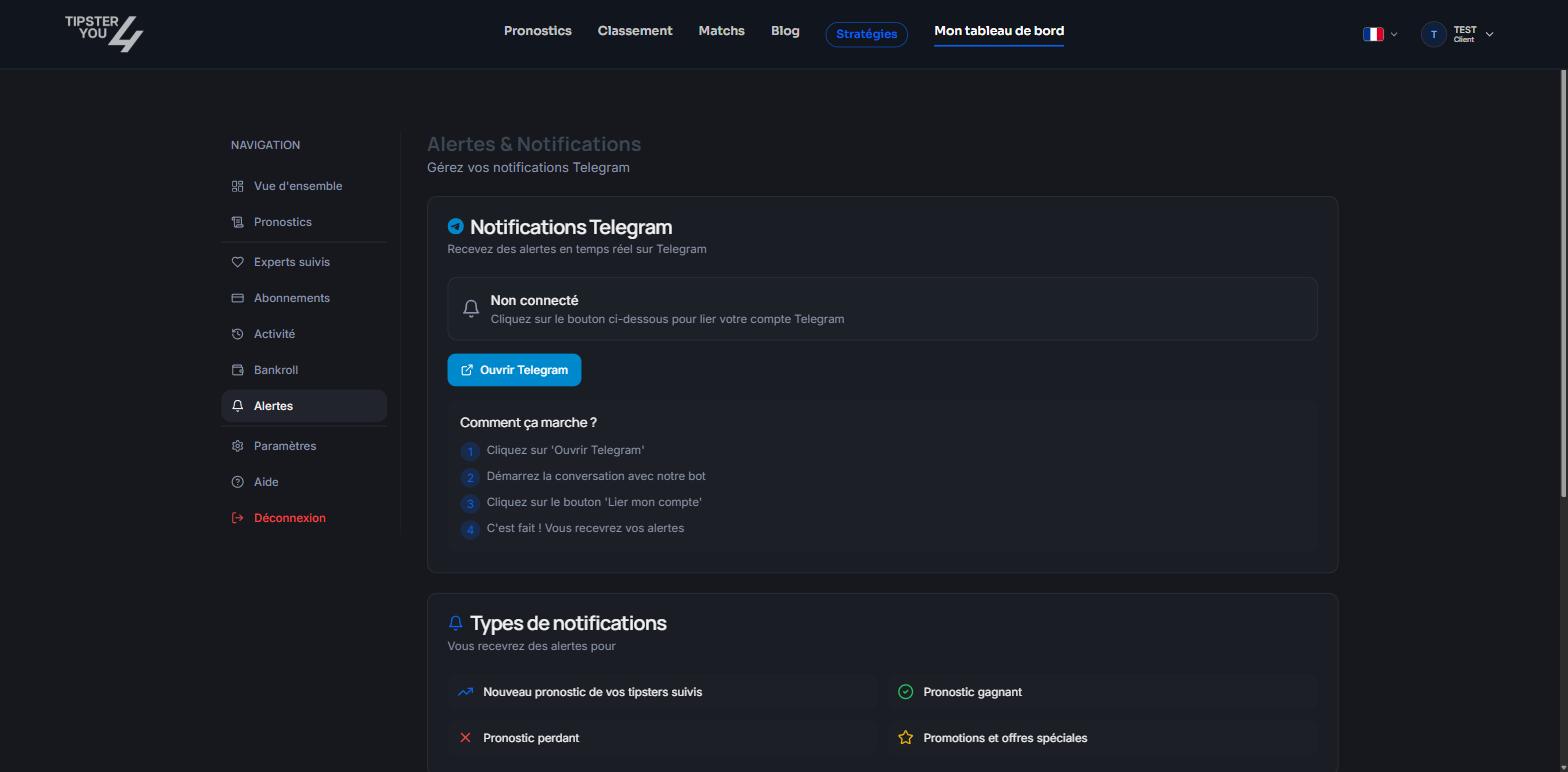
The Alerts tab: Telegram link status.
Linking your account
- In your dashboard, open the Alerts tab.
- Click Open Telegram: Telegram opens on the
@tipster4you_botbot. - Start the conversation with the bot (Start button, or
/start). - Click Link my account.
- Come back to the site: the tab shows “Connected” with your Telegram identifier.
/start to the bot, wait a few seconds and
reload the page.
What you receive
The tab lists the four alert types: new prediction from your followed tipsters, winning prediction, losing prediction, promotions and special offers. The content depends on your link with the tipster:
Bet details are never sent to someone who is not entitled to them.
Unsubscribing
In the Alerts tab, “Unlink” stops the messages. You can also block the bot in Telegram.Need help? Email support@tipster4you.com
or ask on the Tipster4You Discord.