
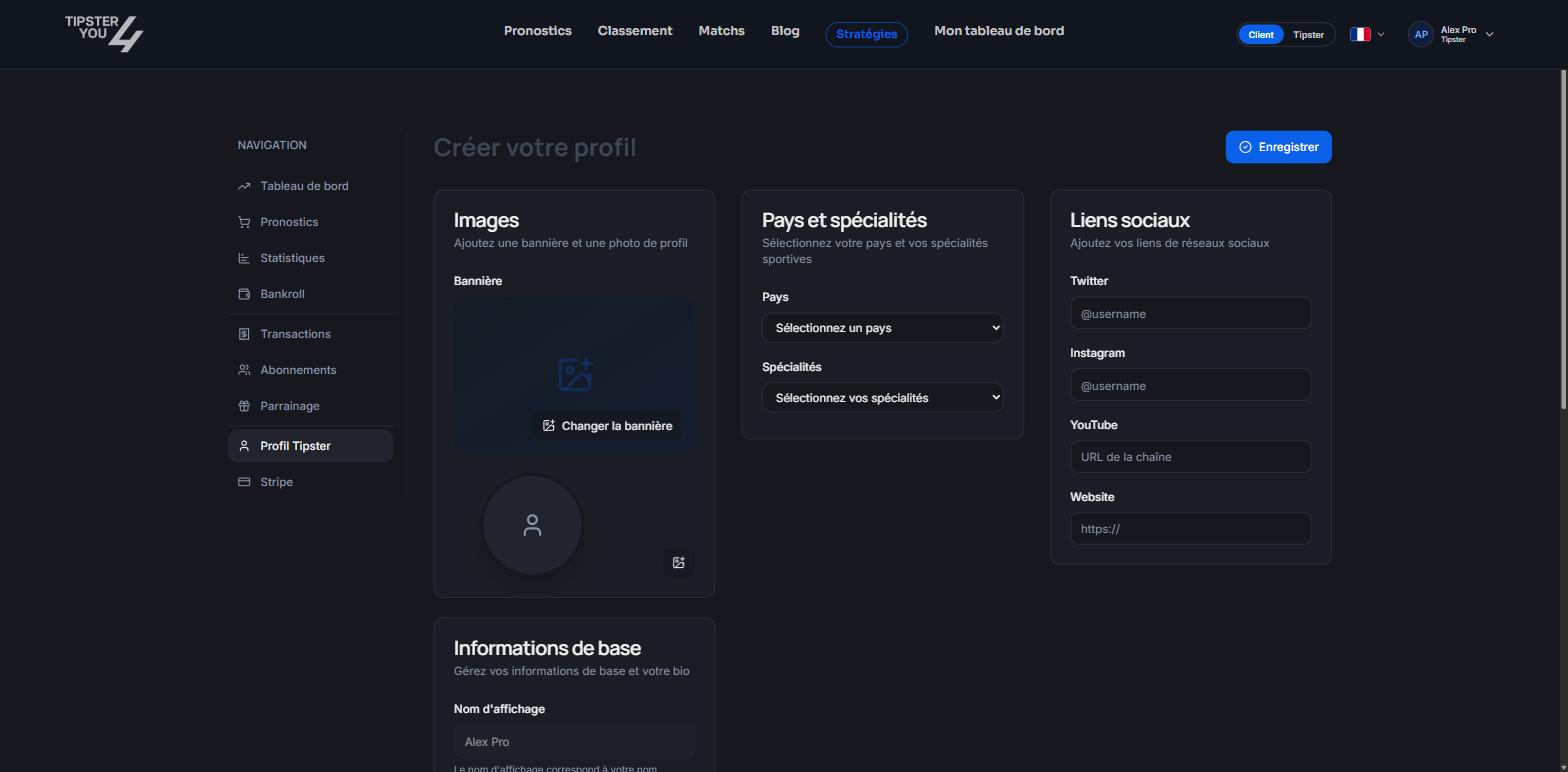
The Profile tab of the tipster area.
What the public sees
- Your display name, your avatar and your banner.
- Your bio.
- Your country and your specialties (the sports you cover).
- Your social links.
- Your statistics computed by the platform: win rate, ROI, profit, CLV, by period (month, quarter, year) and by sport.
- Your published predictions, with their status.
- Your subscription plans.
- The average rating left by your buyers and their reviews.
- Your grade and the “Verified” badge where applicable.
Filling in the profile
In the Profile tab of your tipster area:- Basic information: display name and bio. The display name is the one shown everywhere on the site.
- Images: avatar and banner.
- Country and specialties: pick your country and one or more sports.
- Social links: Twitter (X), Instagram, YouTube and your website.
- Custom address: the last segment of your profile address, like
tipster4you.com/en/tipster/your-name. Choose it once and for all: it is the address you share.
Tips
- A short bio saying your sports, your method and your publishing rhythm.
- Specialties consistent with your predictions: they are used as a filter in the leaderboard.
- Share your profile address on your networks: it is also your potential referral link.
Need help? Email support@tipster4you.com
or ask on the Tipster4You Discord.