
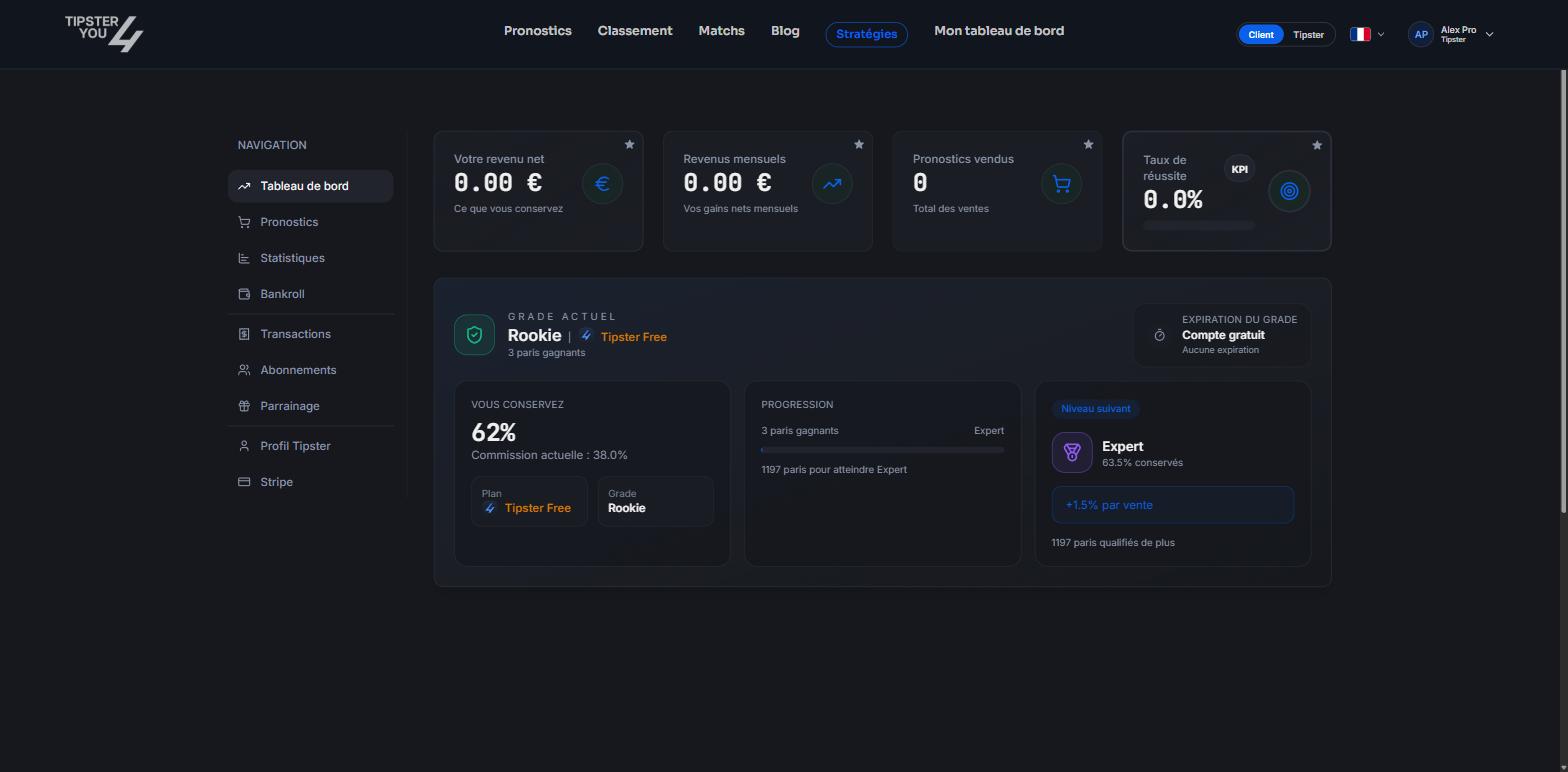
The Dashboard tab of the tipster area.
Dashboard
Your current numbers: total predictions, active subscribers, monthly revenue, win rate, ROI. Your grade and your current commission, with a progress bar towards the next grade and the number of predictions left to publish. Shortcuts: create a prediction, manage subscriptions, view analytics, edit profile.Predictions
The list of everything you have published, with each one’s status. This is also where you create a prediction and edit those still waiting for publication. See Publishing a prediction.Statistics
Your detailed performance, by period and by sport. See Tipster statistics.Transactions
All your sales, subscriptions and predictions, with amounts, totals and an export. See Transactions and earnings.Profile
What the public sees of you: display name, bio, banner, country, specialties, social links, custom address. See Your public profile.Bankroll
Your own capital tracking, identical to the bettors’ one. See My bankroll.Payment
The state of your Stripe account and any missing information. See Stripe payouts.Subscriptions
Your subscription plans, your promo codes, your subscribers and their renewal rate. See Subscriptions and promo codes.Referral
Your referral link and your commissions. See Referral program.Plan
From the dashboard, the “Plan” card shows your current plan and lets you upgrade to Pro or Pro+. See Tipster, Pro and Pro+ plans.Need help? Email support@tipster4you.com
or ask on the Tipster4You Discord.